How to embed AI/BI Dashboards into your websites and applications
by Eason Gao
We are thrilled to announce that embedding for AI/BI Dashboards is now available. Embedding enables you to seamlessly integrate Databricks AI/BI Dashboards into third-party tools, such as your internal websites and applications. This integration simplifies access to data insights for your team, allowing them to interact with the information without disrupting their workflow.
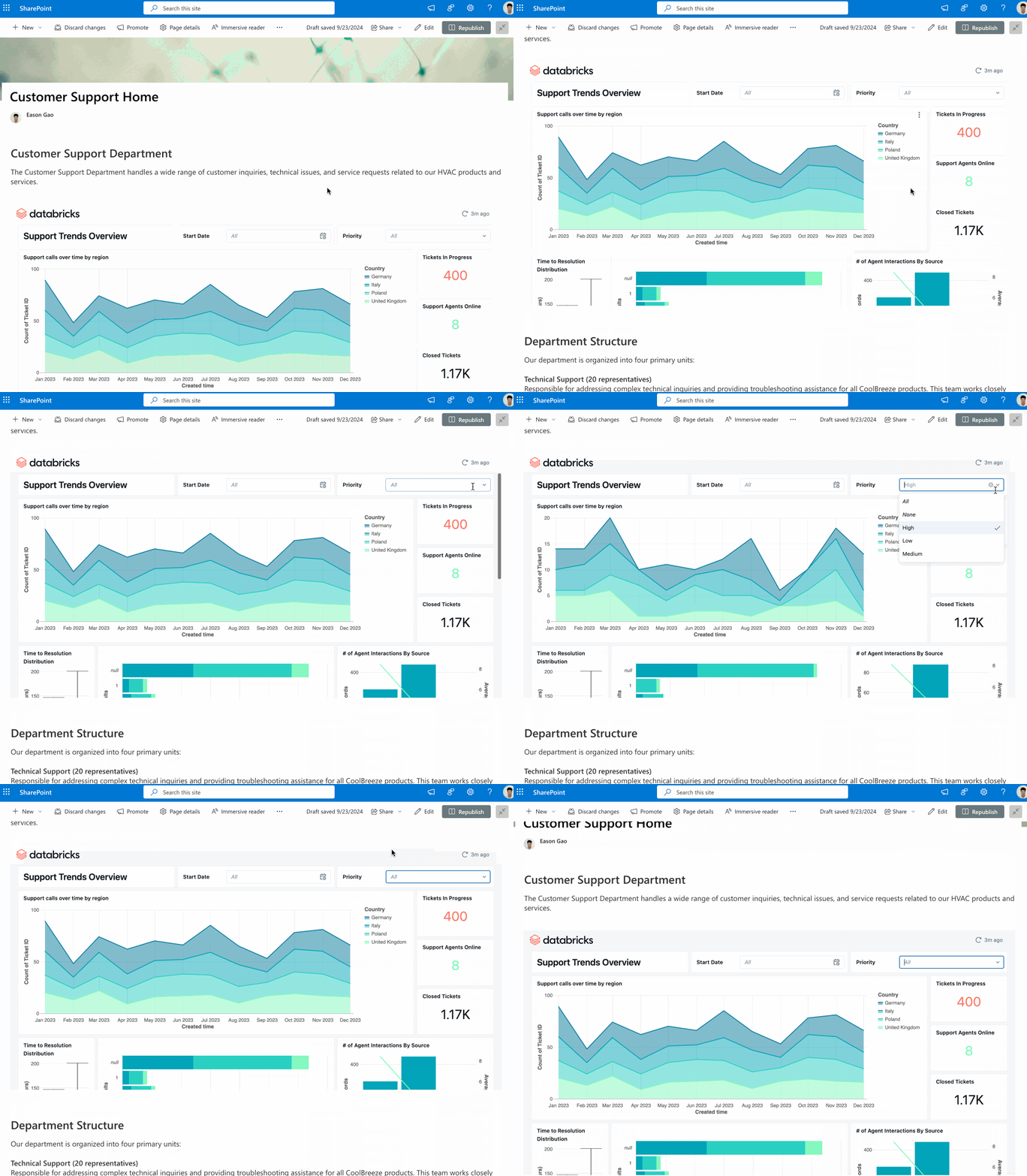
What is Dashboard Embedding?
Dashboard Embedding enables Databricks AI/BI dashboards to be displayed within other platforms using iframes. This means that users can view dashboards without having to leave the applications they are already using, streamlining workflows and enhancing productivity.
Key Features
- Integration Flexibility: You can embed dashboards anywhere iframes are welcome. That list encompasses common productivity tools like Confluence, Salesforce, and Sharepoint. This flexibility ensures that data insights are accessible in the tools your teams use regularly.
- Secure Access: To maintain security, only authorized users can access the dashboard in the embedded surface. To authorize a user, make sure they are part of your Databricks account and have been shared the dashboard.
- Optimized Performance: Embedded dashboards benefit from the same client-side filtering and caching techniques as in-product dashboards, ensuring snappy performance.
How to Use Dashboard Embedding
To get started with embedding dashboards, follow these steps:
- User Provisioning: Ensure that all users who should view embedded dashboards are first registered with Databricks. This is done by adding users to the Databricks account. They do not need to be granted access to any workspaces. Users without workspace access are limited to viewing shared AI/BI Dashboards but they can’t edit them or access other workspace content like Workflows, ML Experiments, etc.
Account-Level SCIM provisioning can simplify registering authorized dashboard viewers with Databricks (docs). You can learn more about sharing AI/BI Dashboards with everyone in your organization here.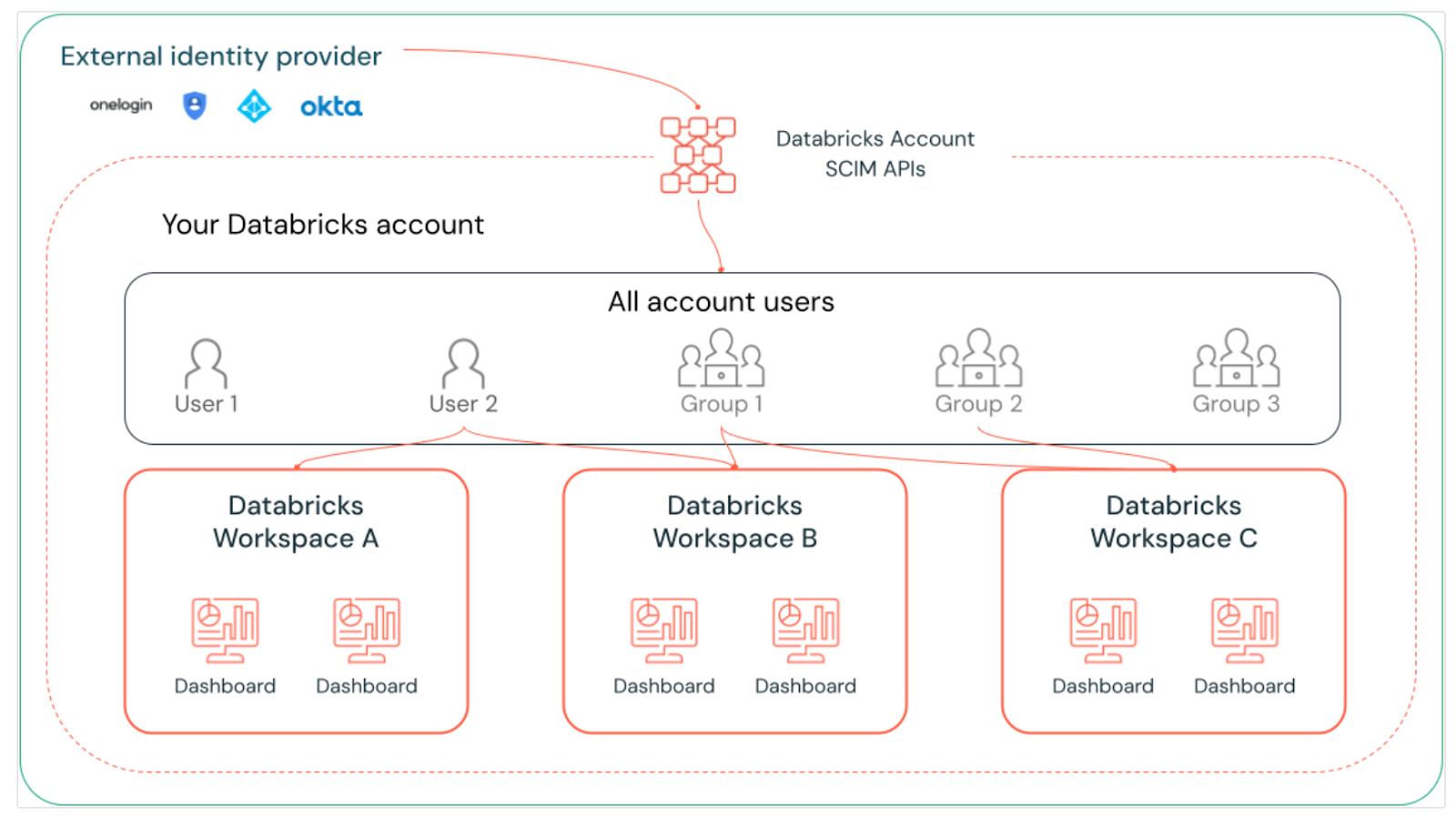
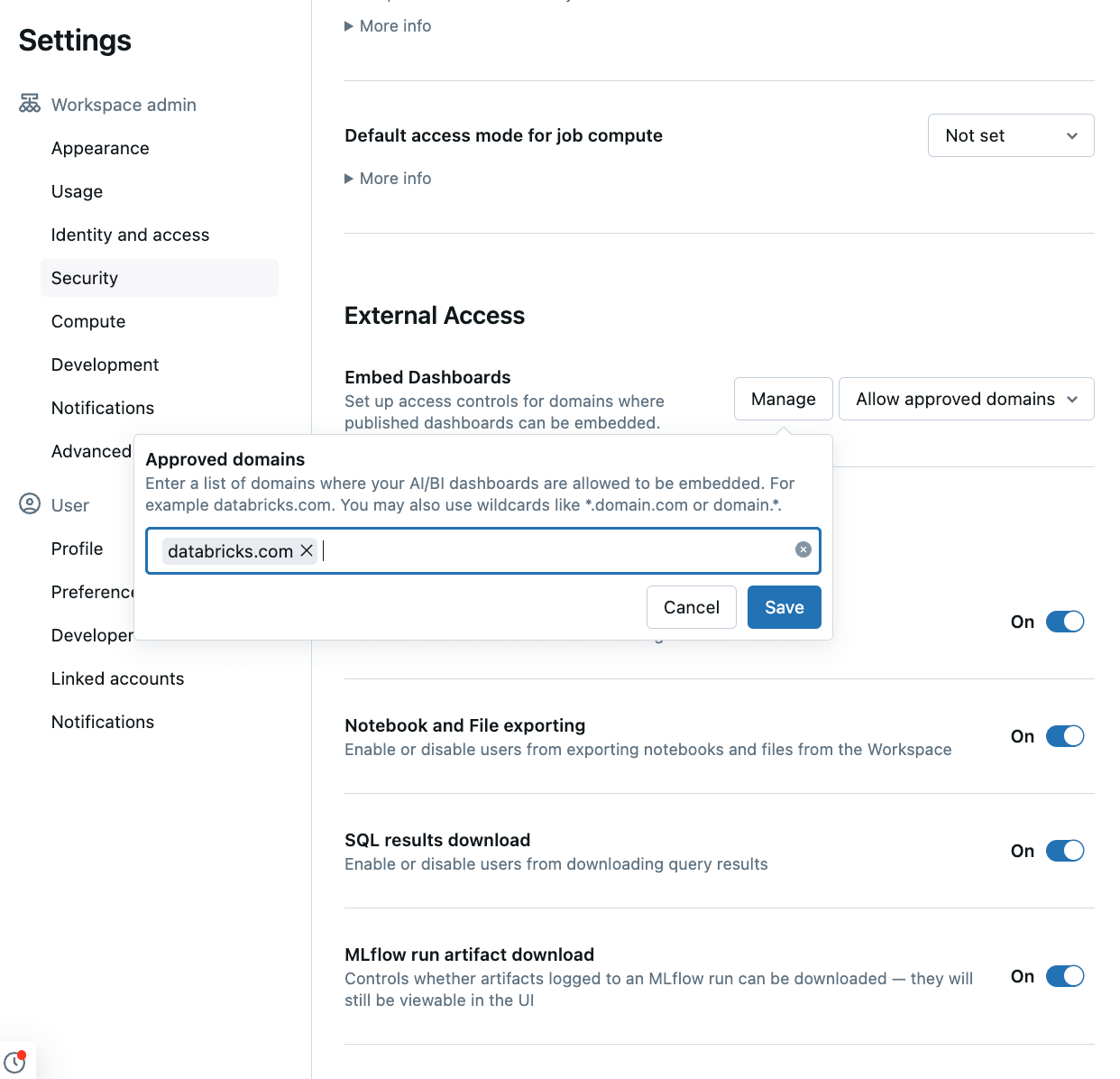
- Define Allowed Domains: In workspace settings, ensure that a list of allowed domains where dashboards may be embedded is specified. This allow-list is empty by default so this feature is effectively disabled until a workspace admin enables it by specifying allowed domains.
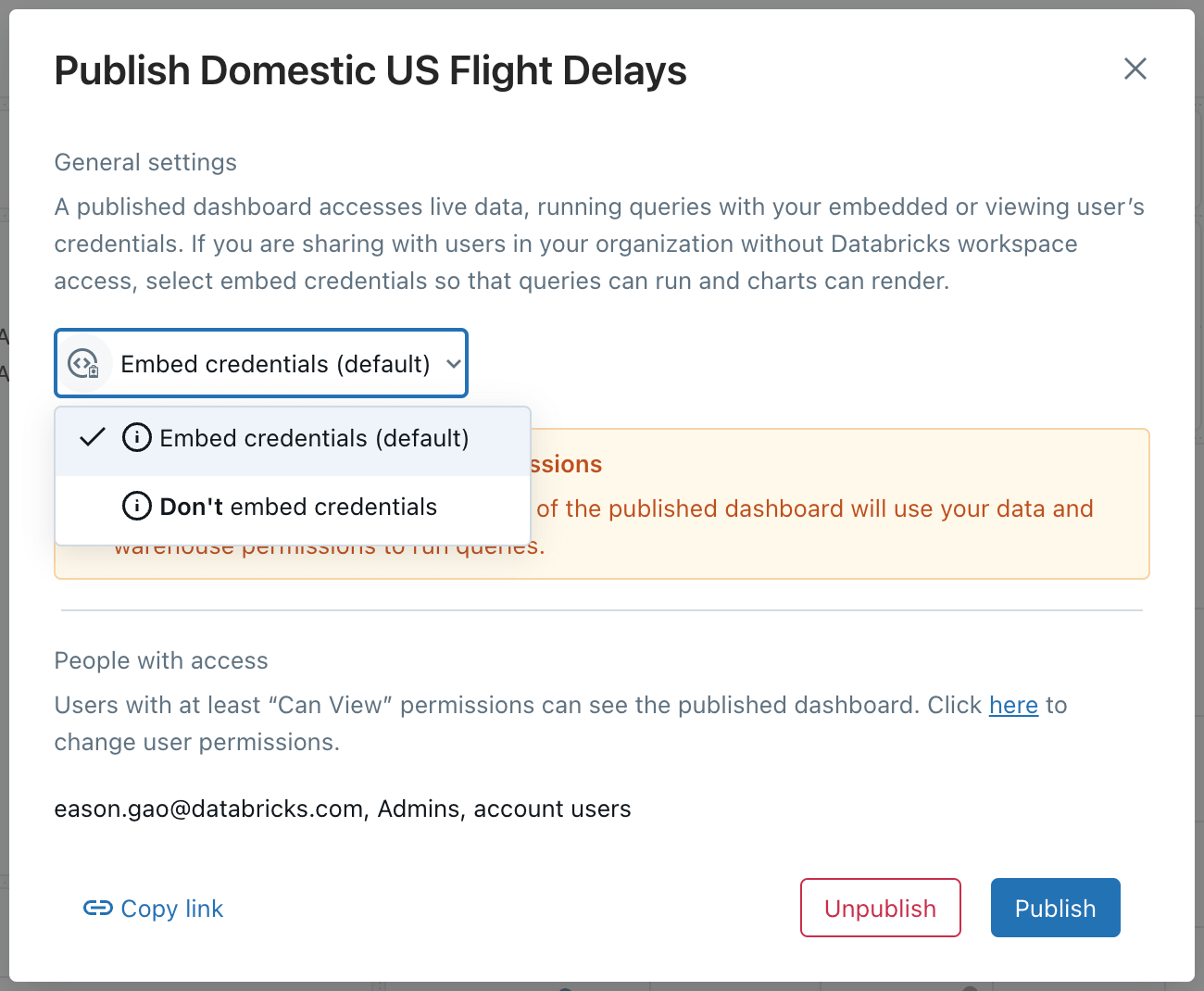
- Dashboard Creation: Design and publish your dashboards within Databricks. Share your dashboard with all users and/or groups who should have access. If you are sharing to account-level users, publish with embedded credentials to ensure that they can access the dashboard.
Embedding: Copy the iframe embed code from the dashboard share dialog and insert it into your desired platform.
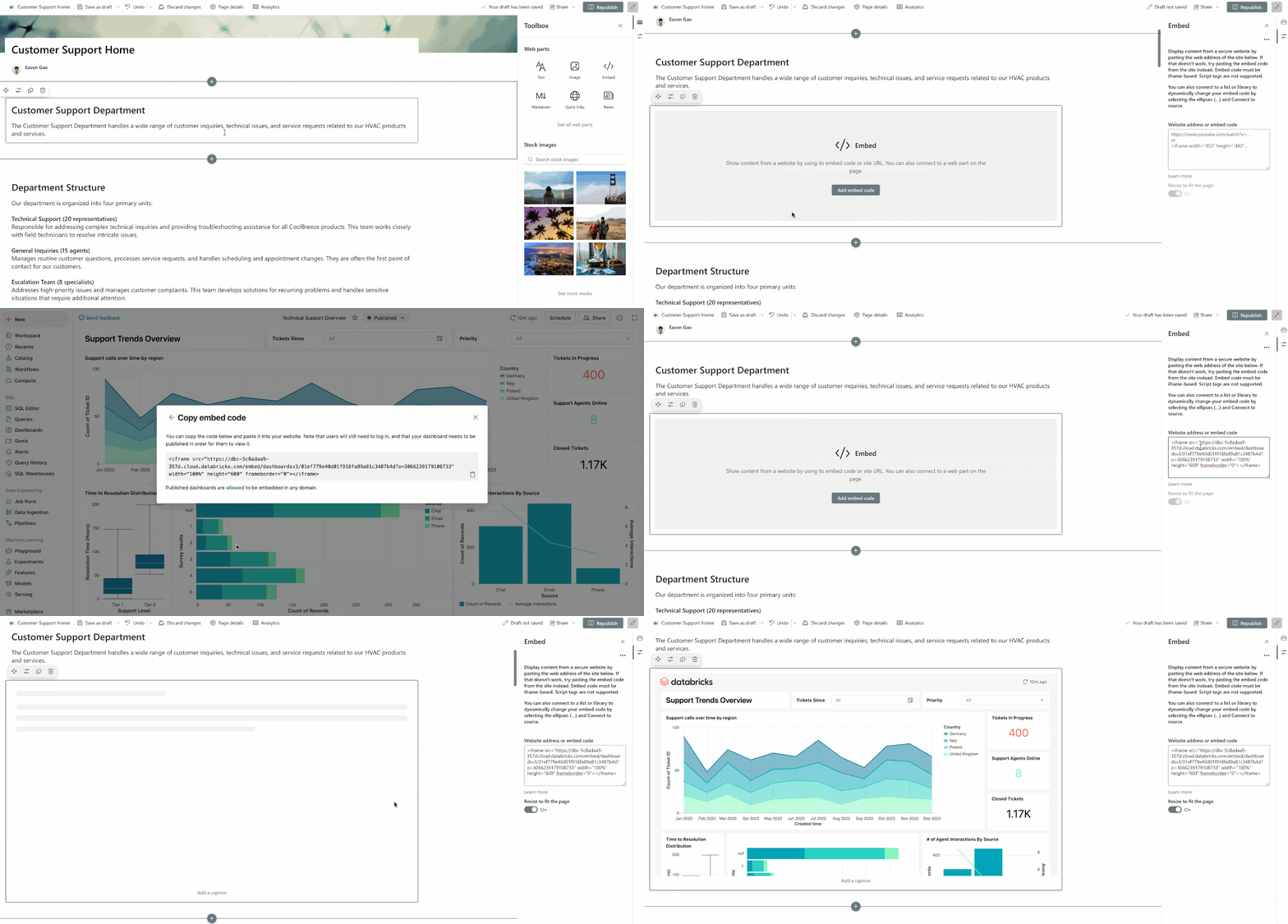
Example for embedding in Sharepoint
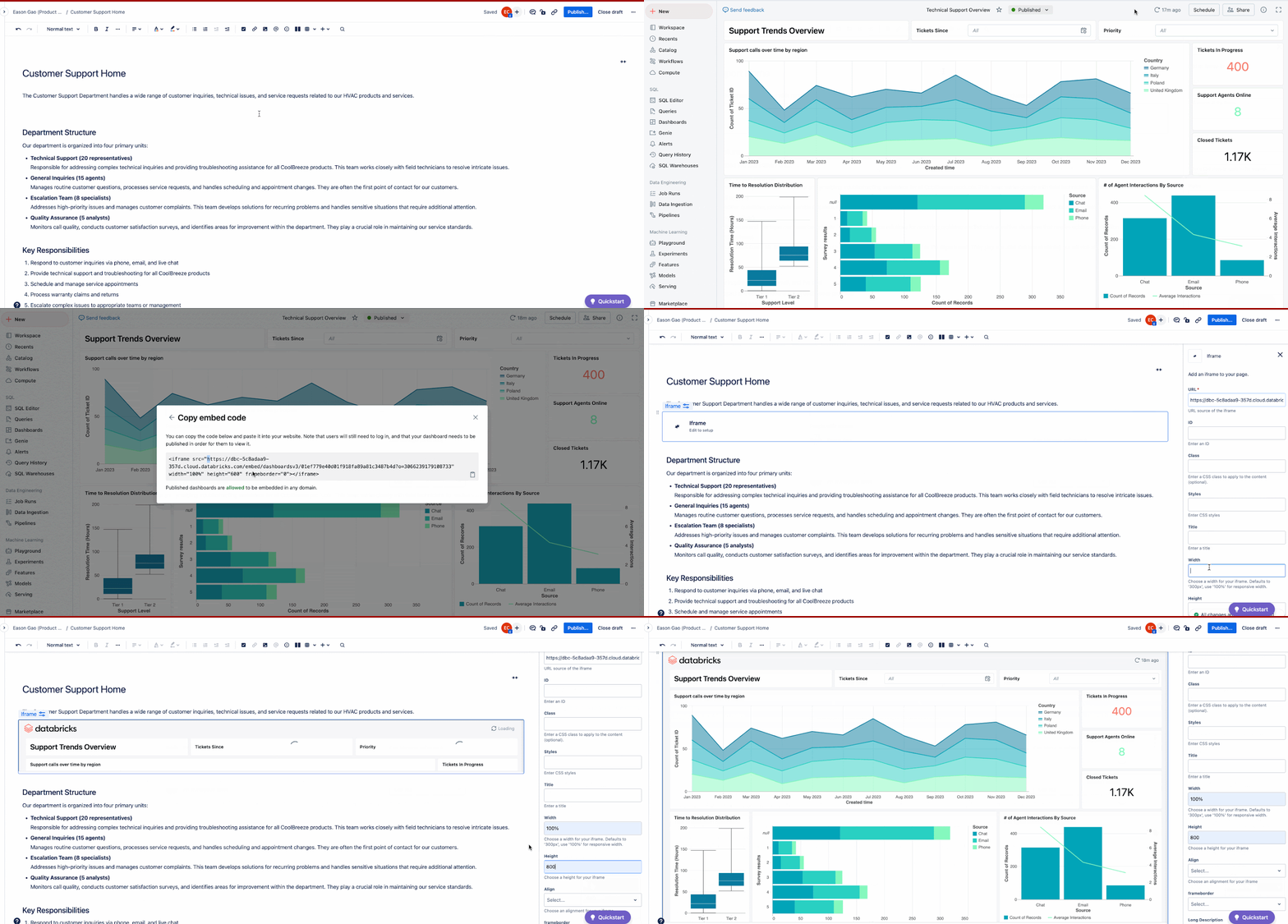
Example for embedding in Confluence
Conclusion
Embedding provides an opportunity for you to integrate data-driven insights seamlessly into your organization's existing tools. We're excited to see how you and your teams will leverage this alongside AI/BI’s many other capabilities to transform your business processes. We encourage you to dive in and start creating your own dashboards today. To get started, explore our AI/BI Dashboards documentation and follow our tutorial to build your first dashboard. To see AI/BI Dashboards and Genie in action, check out our demo and take the product tour.
Your feedback is invaluable as we continue to refine and expand our AI/BI Dashboards. We look forward to hearing your thoughts and suggestions. Happy dashboarding!
Get the latest posts in your inbox
Subscribe to our blog and get the latest posts delivered to your inbox.