Introducing the New SQL Editor
A generally available improved SQL-only authoring UI for exploratory data analysis, visualizations, and data engineering
by Jason Messer, Ina Felsheim, Weston Hutchins, Patrick Yang and Brett Clouser
- The new SQL editor offers a unified and streamlined SQL authoring experience with multiple statement results, real-time collaboration, and enhanced Databricks Assistant integrations.
- The editor features improved productivity with a command palette, code folding, and customizable themes, as well as AI-generated filters and a workspace file browser.
- The new SQL editor is available in all clouds today, and users can enable it by clicking the 'New SQL editor: OFF' banner and setting the toggle to 'ON'.
Over the last few years, we've seen tremendous growth and adoption of Databricks SQL, our intelligent data warehouse purpose-built on the Data + AI Platform (take the product tour). Our relentless customer focus drives everything we do, helping us iterate to make you even more productive when authoring SQL. Today, we are excited to announce general availability of the new SQL editor.
The new SQL editor blends the best aspects of the platform into a unified and streamlined SQL authoring experience. It also offers several improved features, including multiple statement results, inline execution history, real-time collaboration, enhanced Databricks Assistant integrations, and a variety of editor productivity features to take your SQL development to the next level.
One of our favorite features of the new SQL editor is real-time collaboration. It allows us to share a query with a teammate and build it together in a truly collaborative way. This has been especially valuable for async and remote workflows. —Amit Kumar, Sr. TPM, Data Engineering at Zillow
Key features
Let’s take a closer look at some of the key features.
Multiple statement results
When running multiple SQL statements at once, you can compare the output from each statement with multiple statement results.

Inline execution history
Quickly access past results without re-executing queries, navigate directly to a past query profile, or compare run times and statuses directly within the context of your current query.

Improved collaboration
Take advantage of user presence to write code and collaborate with others in real time. Add comments to ask questions or highlight key code snippets.

Split screen editing
View and edit two queries side-by-side on the same screen, or split a long query into two panels to easily reference different sections as you write.

New Assistant integrations
With the Databricks Assistant, you can easily leverage AI to author SQL, even if you aren’t a Databricks SQL syntax expert. With the new SQL editor, we are excited to add even more powerful assistant integrations.
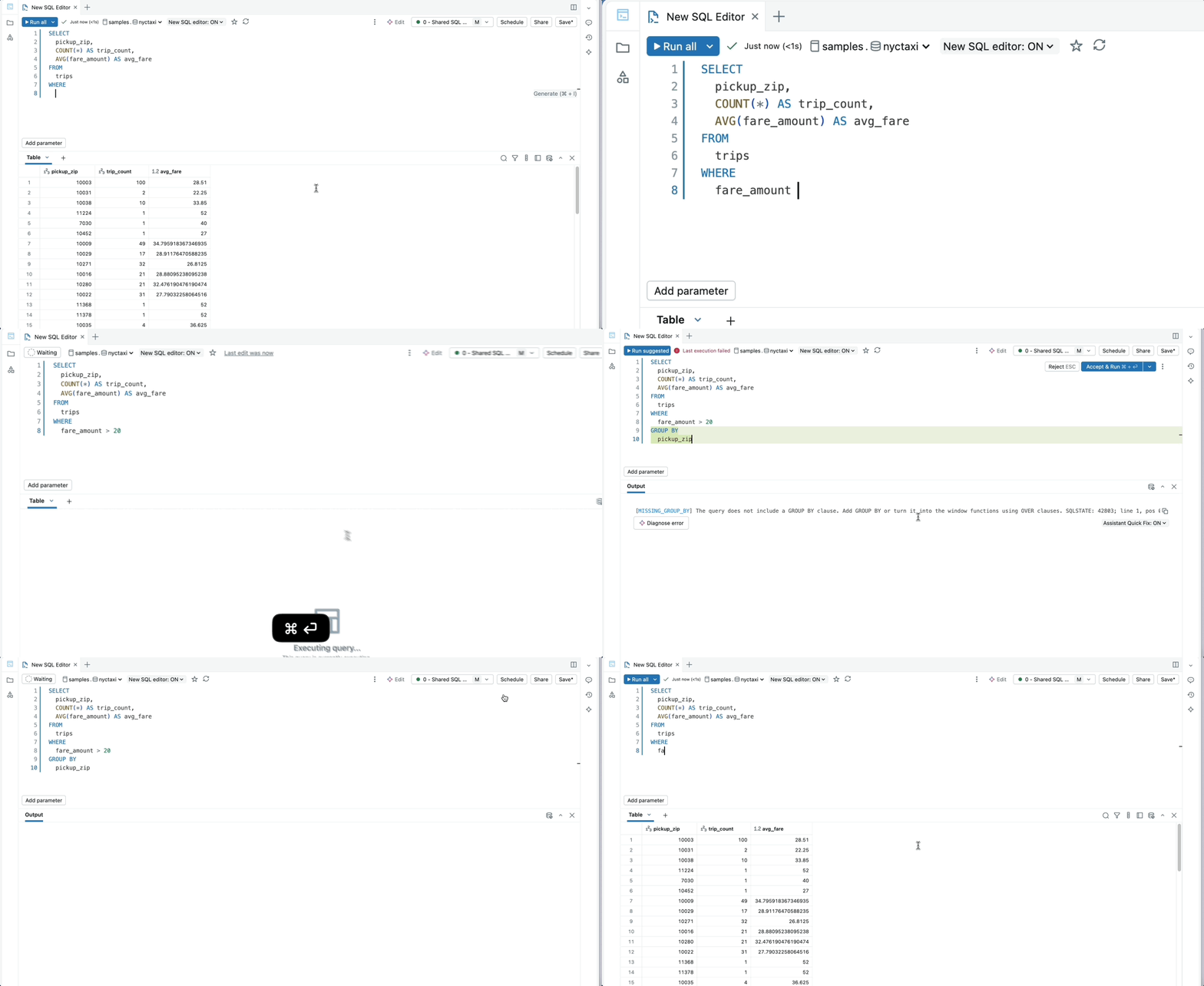
Quick Fix is a powerful new feature that automatically resolves common errors, such as trailing commas, typos, and other syntax mistakes. Designed for speed, Quick Fix delivers suggestions in just 1-3 seconds and is seamlessly integrated with keyboard shortcuts.
Execute code directly in the side panel. Test code snippets or compare multiple outputs side-by-side before bringing code into the main editor.

Quickly filter result outputs with natural language with AI-generated filters. Filters do not require statement re-execution and can be chained together to drill into specific insights.

Enhanced editor ergonomics
Quickly perform editor actions without leaving your keyboard via the command palette.

Code folding hides unnecessary code, allowing you to focus on what’s relevant to your current task.

Customize your SQL editor with custom themes. You can choose from a variety of popular editor themes, including dark mode options.

Organize your queries with the Drafts folder and quickly navigate between assets with the Workspace file side-panel integration.

Git support for queries
Store and manage your queries in version control, enabling seamless integration into your CI/CD pipelines.

Get started with the new SQL editor
The new SQL editor is available in all clouds today. To enable, open a query and click the ‘New SQL editor:OFF’ banner, and set the toggle to ON.

Check out our documentation page for more detailed resources on getting started with the new SQL editor.
If you have any feedback or questions, feel free to contact us via the ‘Send feedback’ links in the product or at new-sql-editor-feedback@databricks.com.
To learn more about Databricks SQL, take a product tour. Suppose you want to migrate your existing warehouse to a high-performance, serverless data warehouse with a great user experience and lower total cost. In that case, Databricks SQL is the solution — try it for free.
Get the latest posts in your inbox
Subscribe to our blog and get the latest posts delivered to your inbox.