Ship quality enterprise AI agents to business users with Agent Bricks and Databricks Apps
Learn how to move AI agents from prototype to production in days using a fast and governed path
by Pascal Vogel and Evan Pandya
- Build with Agent Bricks: Create domain-specific, production-grade AI agents that are auto-optimized on your enterprise data with built-in evaluation.
- Deploy with Databricks Apps: Quickly launch a secure, customizable chat interface for your agents using serverless compute and built-in SSO.
- Distribute with Databricks One: Provide business users with a curated, intuitive "front door" to access and interact with AI tools securely.
Prototyping an AI agent is easy. Shipping one that business users trust and that security teams don’t block is where most enterprise projects slow down.
In this blog, we’ll walk through a fast, governed path to production using the Databricks Data + AI Platform:
- Build a production-grade, domain-specific agent with built-in evaluation and continuous improvement
- Deploy a customizable chat UI with Databricks Apps that has built-in SSO and governed data access
- Distribute your agent to business users via a streamlined, intuitive experience for consuming AI and data insights
We’ll use one shared example throughout: an Agent Bricks Knowledge Assistant for an example company named Redwood Commerce that answers corporate policy questions based on internal PDFs, with citations back to the source documents.
Why productionizing agents is still hard
Teams developing enterprise AI agents often run into a familiar set of problems:
- Evaluation is difficult: Many enterprise AI tasks are difficult to evaluate, for both humans and even automated LLM judges. Academic benchmarks don't translate to real-world use cases. Building nuanced evaluations often requires expensive manual labeling. As a result, promising projects stall in endless tuning cycles, with stakeholders losing confidence due to unclear progress.
- Too many knobs: Agents are complex AI systems with many components, each with their own knobs. From tuning prompts to index chunking strategies to model choices and fine-tuning parameters, each adjustment creates unknown effects across the system. What should be fast iterative improvement becomes expensive and tedious manual trial-and-error, slowing time to production.
- Cost and quality: Even after teams solve the above issues and build a high-quality agent, they're often surprised to find that the agent is too expensive to scale into production. Teams get stalled in either a long cost optimization process, or are forced to make trade-offs between cost and quality.
On top of that, you still need an intuitive UI for business users and secure access that takes your governance model into account.
The goal is to reduce this friction so that you can move from proof of concept to business-ready in days or even hours instead of months.
The fast, governed path: Agent Bricks, Databricks Apps, and Databricks One
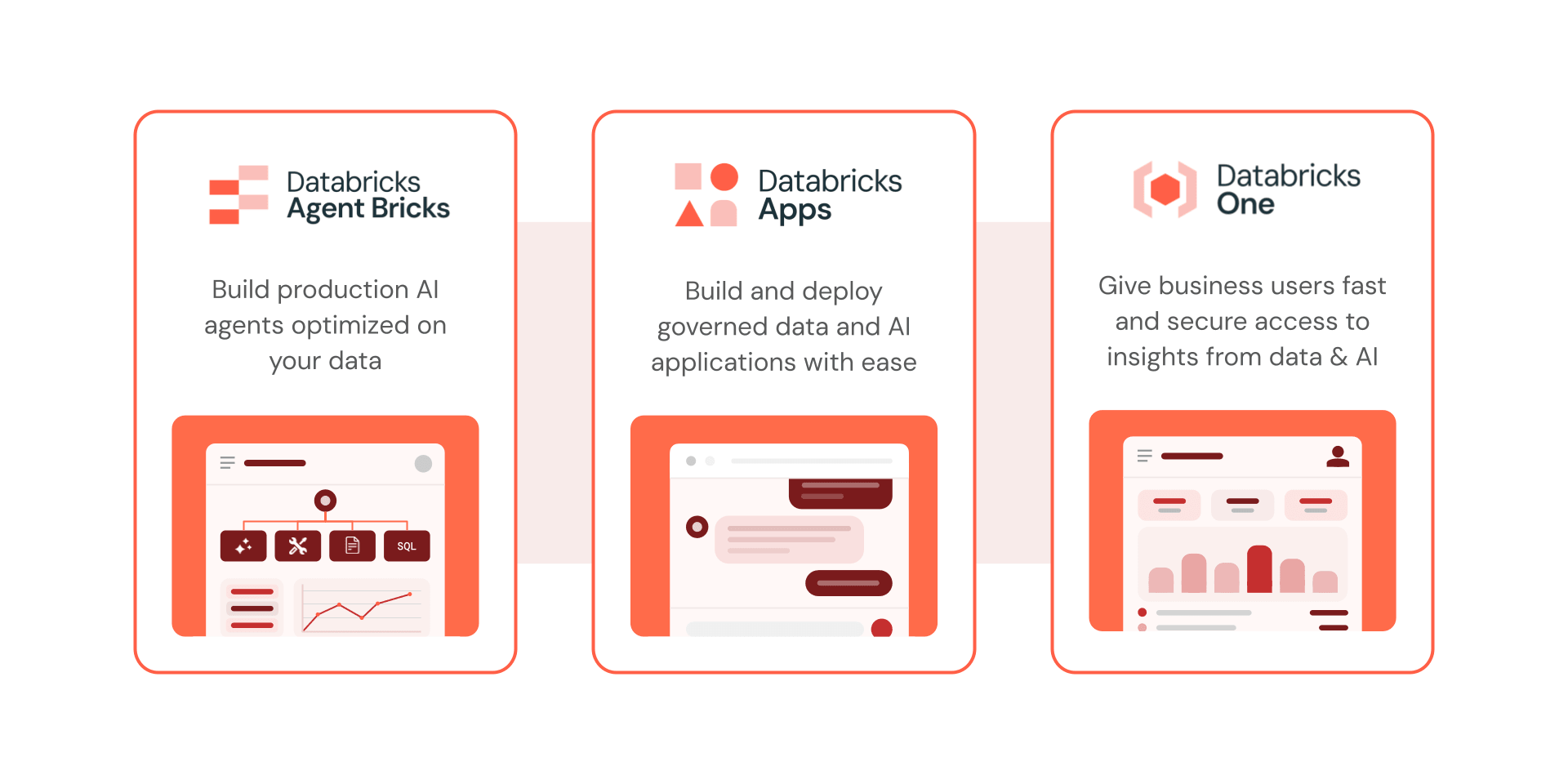
To get your AI agents into production, Databricks provides three seamlessly integrated components:
- Agent Bricks streamlines building, evaluating, and optimizing production‑grade AI agents on your enterprise data. Just define your task and connect your data, and Agent Bricks handles the heavy lifting, including built-in evaluation and unified Unity Catalog governance.
- Databricks Apps allows you to securely deploy those agents and customizable chat interfaces right inside Databricks. You get serverless compute, built-in SSO, and fine-grained permissions without needing to manage cloud infrastructure.
- Databricks One provides a simplified, curated "front door" for your business users. Instead of searching internal wiki pages or maintaining bookmarks to dashboards, they get an intuitive hub to interact with Apps, Dashboards, and other data and AI assets.
Let’s look at how these three components work together in practice.
Example: Building a corporate policy assistant
Redwood Commerce, a fictional enterprise, has corporate policy documents (travel, expenses, sick leave, IT security) stored as approved PDFs.
Employees repeatedly ask questions like: “Can I expense hotel dry cleaning?”
Business users want a simple chat experience that:
- Answers based on the approved corporate policy documents
- Provides citations for trust and verification
- Respects permissions and governance
- Can be shared broadly but securely to employees across the organization
Step 1: Create a Knowledge Assistant in Agent Bricks
Agent Bricks supports multiple use cases, including Knowledge Assistant, which turns your documents into a high-quality chatbot that answers questions and cites its sources.
Connect the policy documents
Knowledge Assistant can use:
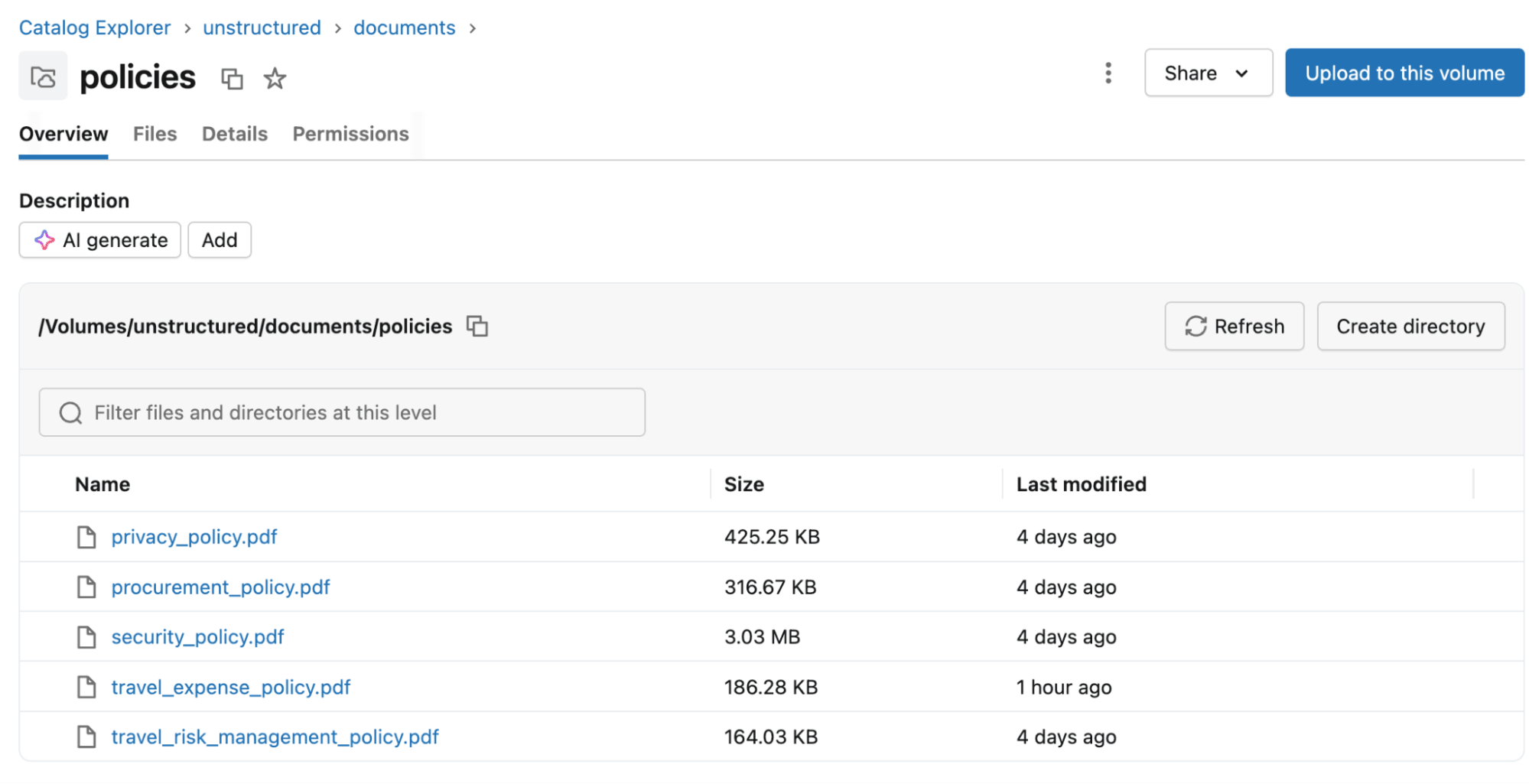
- Files in a Unity Catalog volume (txt, pdf, md, ppt/pptx, and doc/docx).
- An existing vector search index using databricks-gte-large-en as its embedding model.
For Redwood Commerce, we’ll use the simplest path: store corporate policy PDFs in a Unity Catalog volume.
Build the agent
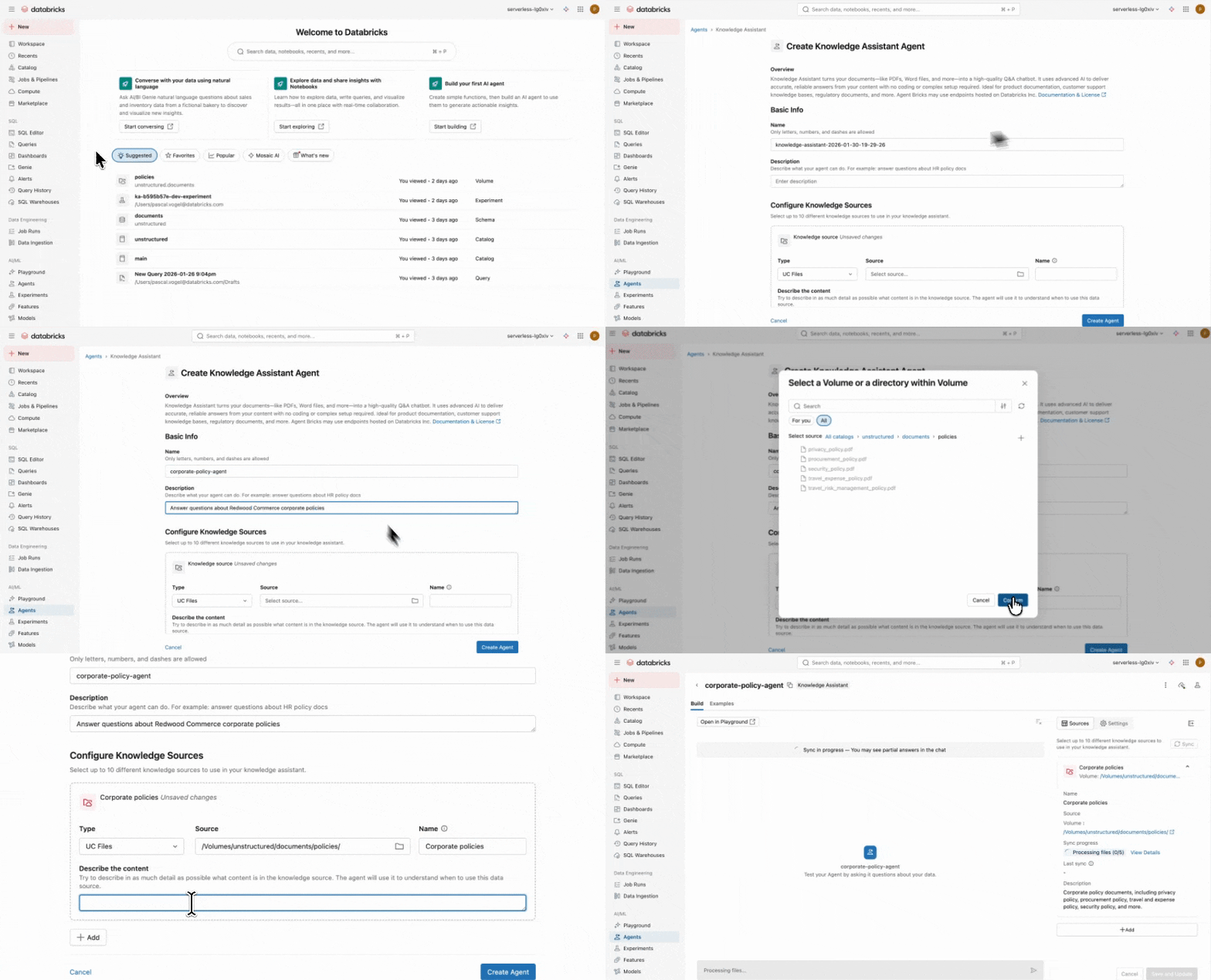
In the Databricks workspace UI:
- Navigate to Agents
- Under Knowledge Assistant, choose Build
- Name it (e.g., Redwood Policy Assistant) and add a description
- Select the Unity Catalog file location as the knowledge source
- Create the agent
Knowledge Assistant creates an agent endpoint you can use downstream in applications.
Step 2: Validate quality quickly (and improve it with SMEs)
A common failure mode is shipping an agent that sounds right but can’t be trusted. Agent Bricks Knowledge Assistant is explicitly designed to return high-quality responses with citations, which is key for stakeholder confidence.
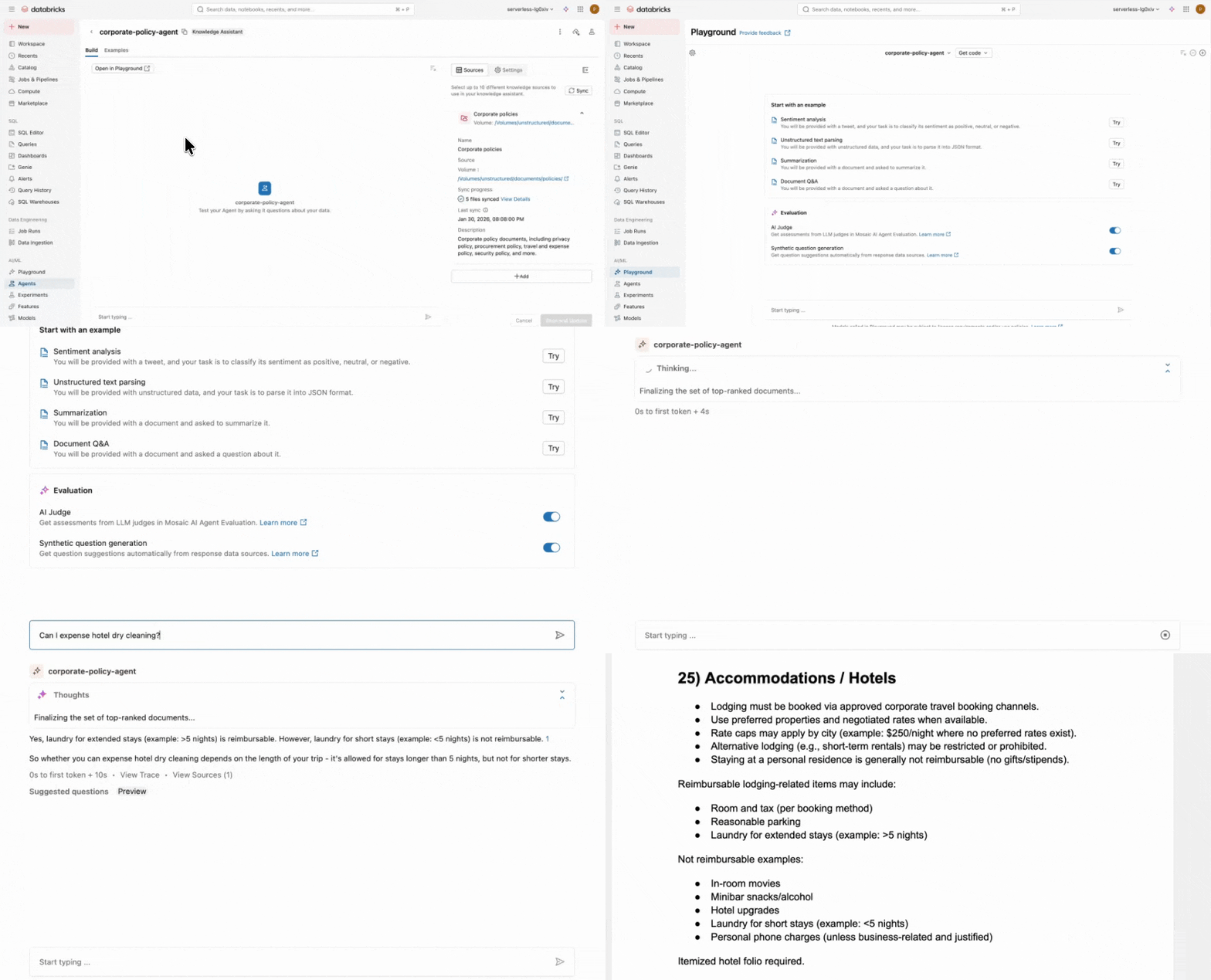
We can test the agent directly in the Knowledge Assistant UI or in the AI Playground and ask realistic questions:
- “Can I expense hotel dry cleaning?”
- “How do I report sick leave?”
- “What’s the process for travel reimbursement?”
The agent’s answers are grounded in the documents with citations to the relevant policy sections.
Agent Bricks supports improving agent behavior based on natural language feedback from subject matter experts (SMEs) by providing labeled questions and guidelines.
Guidelines are used to improve your agent's responses by setting clear expectations for tone, structure, and behavior. They help ensure the agent communicates clearly, stays on-brand, and handles different scenarios the right way. These same guidelines are also used as evaluation criteria to generate quality scores for each response.
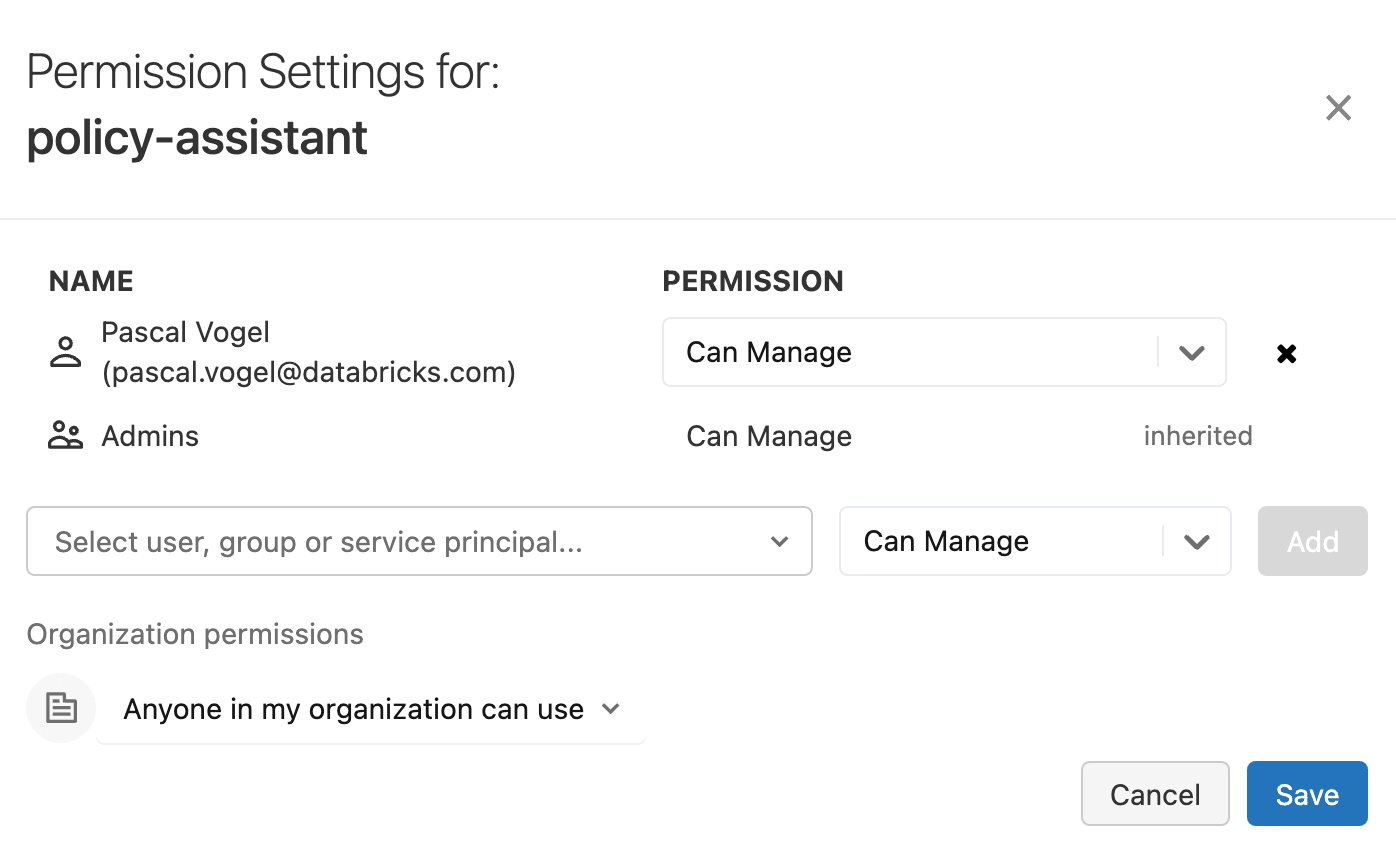
Add questions under the Examples tab of your Knowledge Assistant agent. To invite SMEs to provide labeled questions and guidelines, share the Knowledge Assistant using the three-dot kebab menu and choosing Permissions.
Step 3: Deploy a chat UI with Databricks Apps
Once we’re satisfied with agent quality, we turn the agent endpoint into something employees can actually use: a purpose-built chat experience for Redwood Commerce.
Databricks Apps lets you deploy a fully custom app, or start from a pre-built chat template and customize it to match your branding.
In the Databricks workspace UI:
- Navigate to Compute and select the Apps tab
- Choose Create app
- Select the Agents tab and choose the Chat UI template
- Point it to the Knowledge Assistant endpoint
- Deploy your app
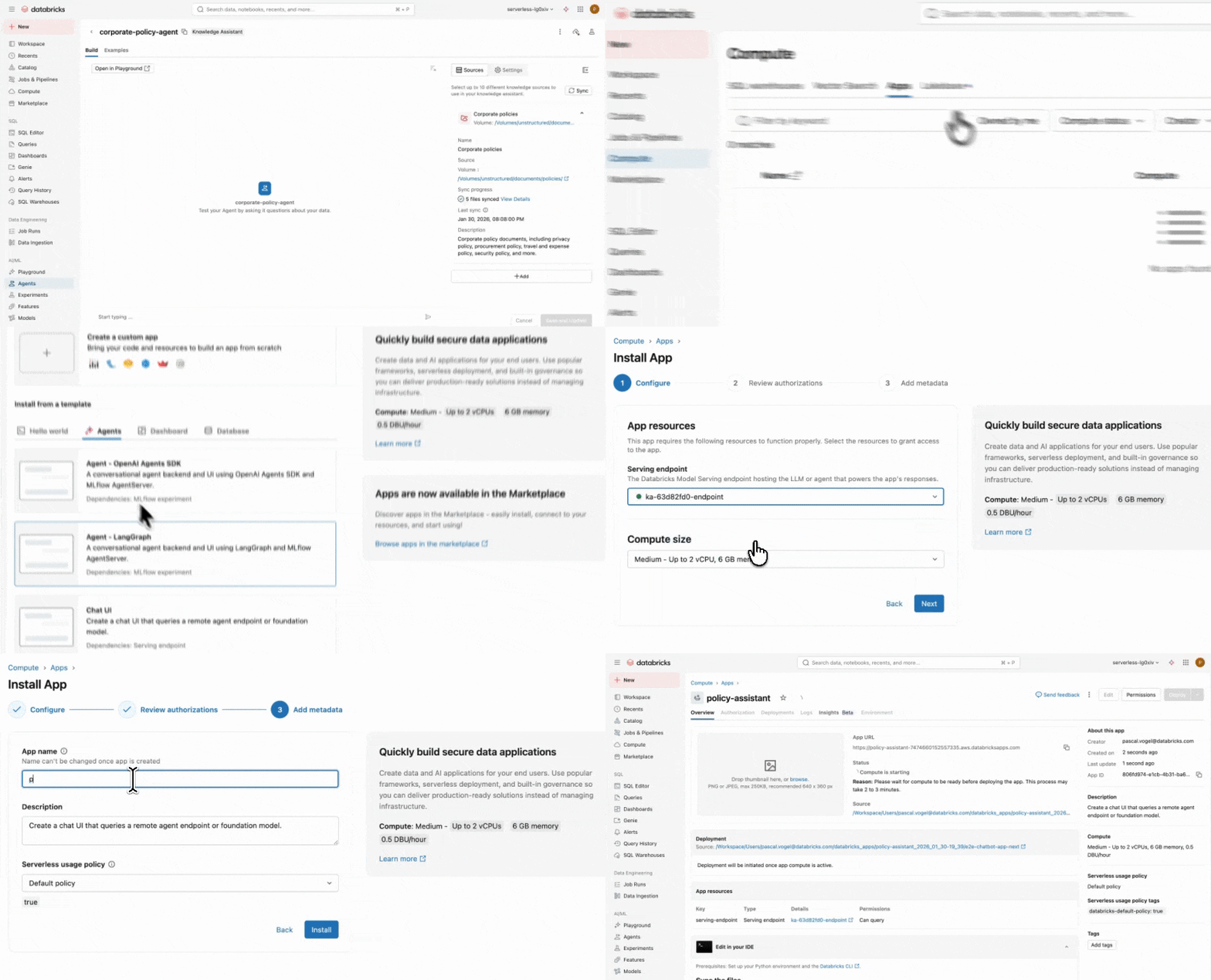
After deploying your app, you can directly use your Knowledge Assistant chatbot in the app template via the provided app URL.
To create a more branded experience, you can customize the template by cloning it to your local machine. With a few simple adjustments, we can create a bespoke chat UI for Redwood Commerce:
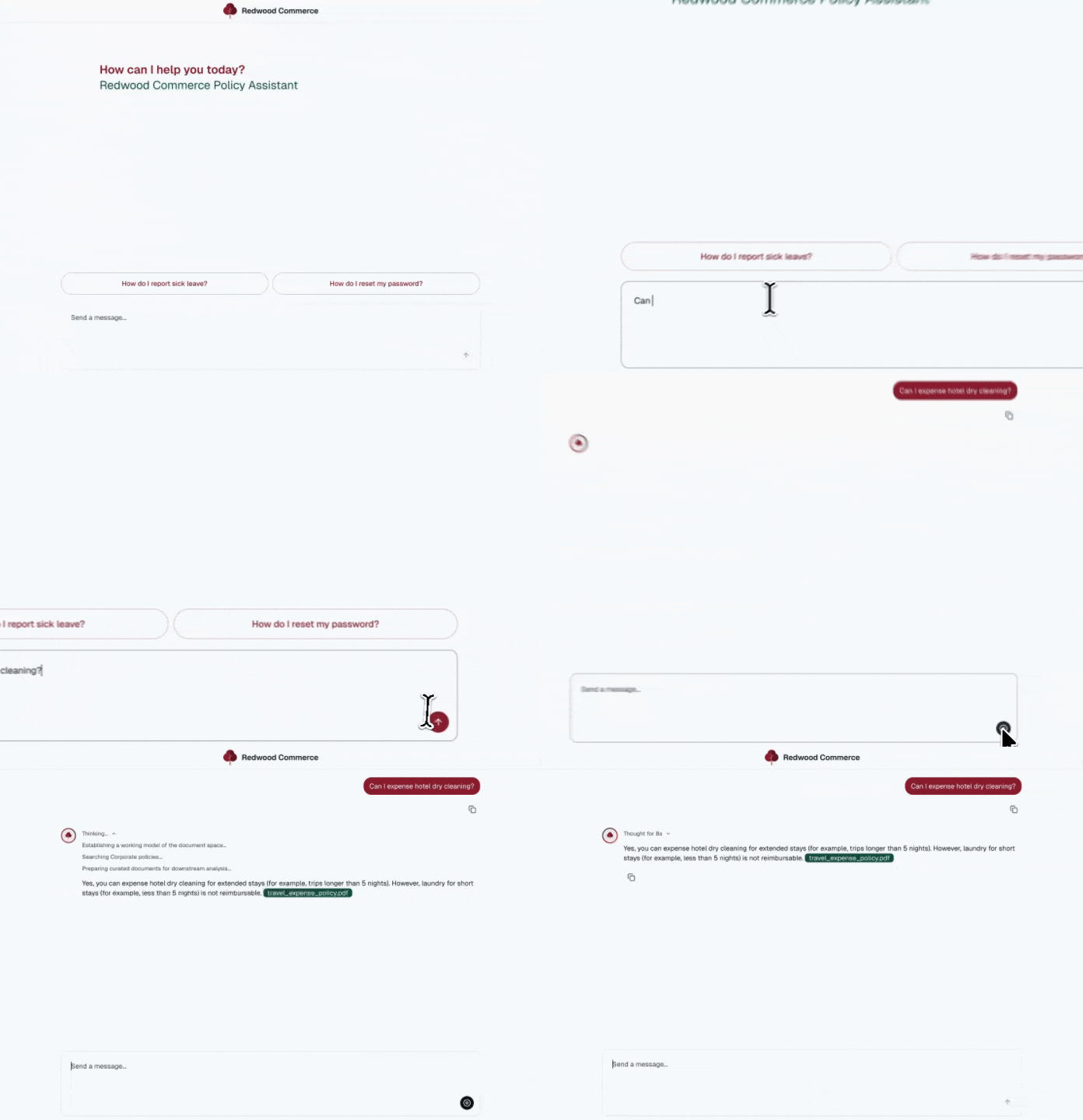
Databricks Apps have security and governance built-in and there is no need to develop and maintain custom authentication or authorization code.
Apps are accessible only to authenticated users that sign in using SSO. There is no anonymous or public access. Thanks to user authorization your app can apply fine-grained permissions by acting with the identity of the app user.
Step 4: Publish to business users through Databricks One
We could distribute the app by simply sending people the app URL. But as you make more data and AI assets available to business users, teams need a single, curated place where employees can reliably find the right tools.
Databricks One is designed as that front door: a simplified UI where business users can access shared data and AI assets in Databricks, including Databricks Apps.
After enabling Databricks One and configuring the right workspace entitlements, we can share the Databricks App with employee groups synced from our identity provider.
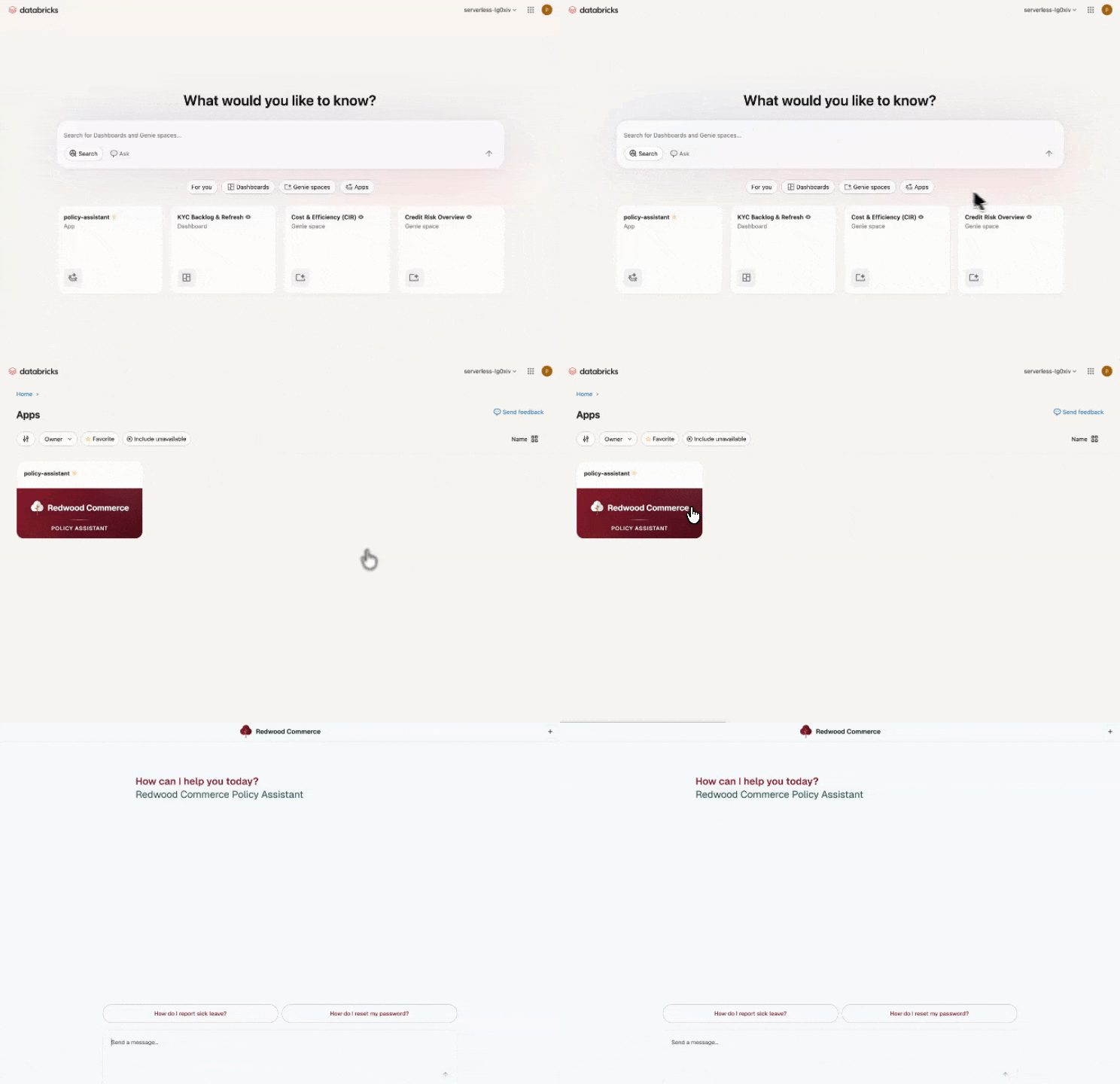
Now employees open Databricks One, click the policy assistant, and ask:
“Can I expense my hotel late checkout fee?”
They get an answer with citations, and governance is consistent end-to-end.
Get started shipping agents to business users
Agent Bricks Knowledge Assistant gives you a fast, automated path from your enterprise documents to a domain-specific agent while keeping quality measurable and improving over time through built-in evaluation and optimization.
With Databricks Apps and Databricks One, you can then package that agent into a business-friendly chat experience and distribute it through a curated entry point, with security and Unity Catalog governance enforced end to end.
To dive deeper, start with:
- Agent Bricks documentation and demos: knowledge assistant and supervisor agent
- Databricks Apps demo, getting started guide and documentation
- Databricks One documentation and consumer access entitlement
Get the latest posts in your inbox
Subscribe to our blog and get the latest posts delivered to your inbox.