Stop rogue AI: How Unity Catalog secures your agent actions
Prevent unauthorized agent behavior with service policies and end-to-end payload logging for MCP tools
by Ahmed Bilal
The risks of agentic AI are no longer theoretical. Agents connected to external tools are taking destructive, irreversible actions in production: wiping entire databases in seconds, deleting millions of rows of critical data, and dropping production databases mid-task. In each incident, the agent was acting within the scope of their delegated authority. What it lacked was any restriction on which tools it could invoke, and any record of the actions it took.
Today, we are launching the ability to govern every MCP tool the same way you govern data, with fine-grained access control, policy enforcement, and a full audit trail. Unity Catalog lets you now set who can call which MCP servers, and admins can layer service policies to restrict access to specific tools (e.g. delete_database) or define conditions on when a tool can be called (e.g. only admins can call delete_database). Unity AI Gateway enforces these policies in real time on every call, with full payload logging of every request.
The problem: access is all-or-nothing, and tool calls leave no trace
An MCP server exposes a set of tools to any connected agent — a GitHub MCP might expose `push_files`, `delete_file`, and `merge_pull_request`; a database MCP might expose `execute_query` and `drop_table`. By default, if an agent is authorized to connect, all of those tools are available at any time. There is no way to say "this agent can read but not write," or "only senior engineers can perform this action," or "nobody should be calling admin tools in production."
And when something does go wrong, there is nothing to investigate. Tool calls do not appear in model logs or application logs. The exact action the agent took, with what arguments, on behalf of whom, simply does not exist as a record anywhere.
That means one misconfigured agent, one unexpected action, and you have no way to prevent it before it happens and no way to explain it after.
The solution: MCP governance in Unity Catalog
Unity Catalog now governs the entire GenAI estate, including LLMs and MCPs. Once MCPs are registered, you get exactly what was missing: control over what agents are allowed to do, and a full record of what they actually did. Both are enforced in real time on every MCP call by Unity AI Gateway.
Service policies let you write rules that evaluate every tool call before and after it reaches the upstream MCP server. You decide which calls are allowed, denied, or require user consent. Service policies are defined in SQL and let admins check arguments, including caller properties and other context properties. If a call doesn't pass the policy, it is blocked
Payload logging captures every tool call as an entry in a tracing table managed in Unity Catalog. Tool name, arguments, result, user identity, and whether the call was allowed or denied. Query it with SQL like any other table.
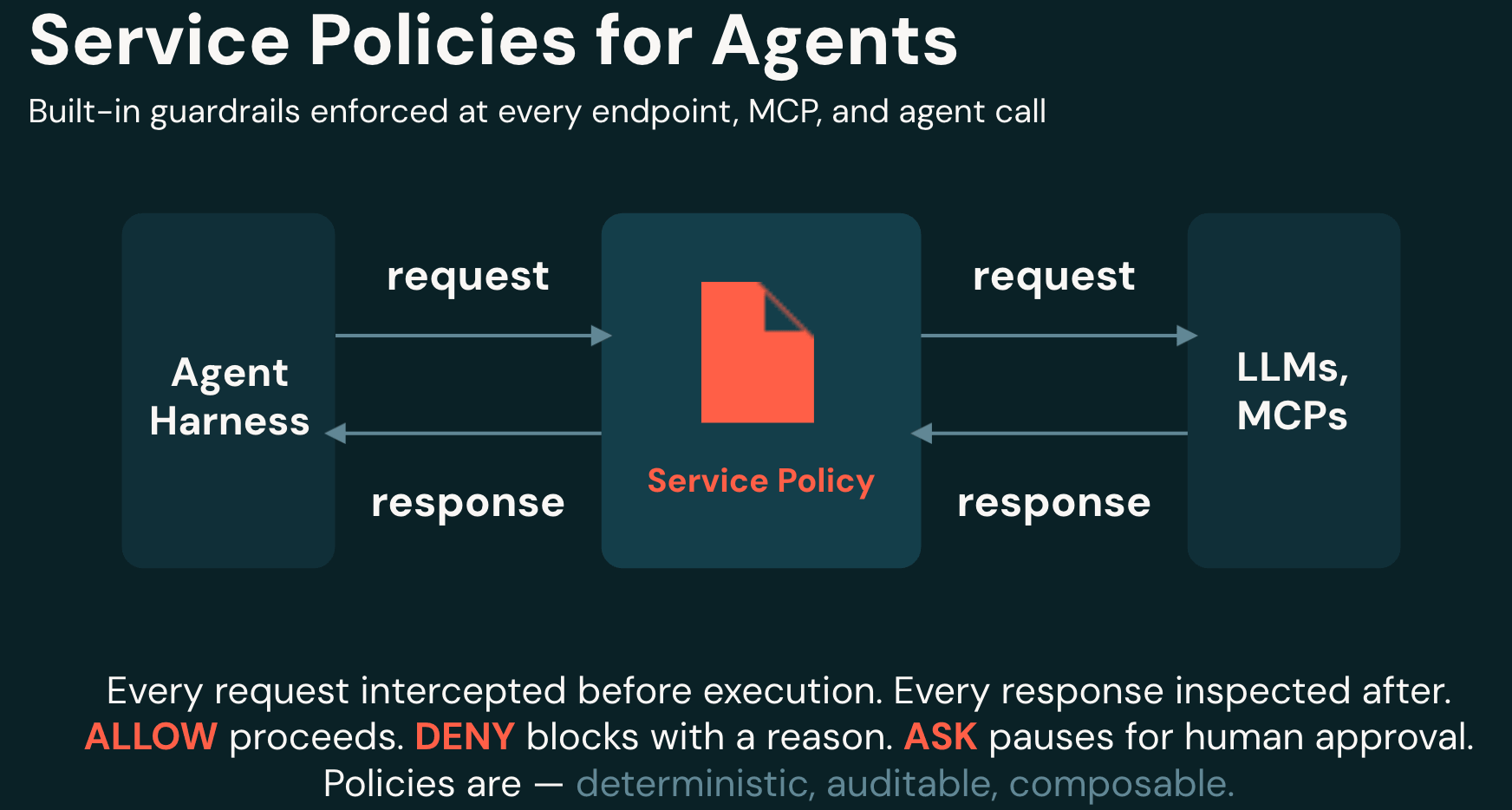
How it works
Define your policy function in Unity Catalog
Unity Catalog allows you to register and govern any external MCP (see our blog on how this works!). A service policy is a Unity Catalog SQL function. It receives two arguments, actor (who is calling) and context (what they're calling), and returns allow or deny with a reason.
Here's a simple policy on a GitHub MCP. It blocks file deletion entirely, and blocks merging PRs unless the caller is an approved engineer:
Attach and enforce
Once written, attach the policy to any MCP service in Unity AI Gateway. From that point, every tool call routed through that service is evaluated before it executes. No code changes needed in the agent or the MCP server.

Log and verify
Every tool call is automatically captured in a Delta table in Unity Catalog. Send a prompt that should be blocked and one that should pass. The results appear in your logs immediately, queryable with SQL like any other table.
Get started
Service policies and payload logging for MCP are available as a Gated Beta, extending the same governance concepts you already use for data to every MCP call. To get early access, reach out to your Databricks account team.
Get the latest posts in your inbox
Subscribe to our blog and get the latest posts delivered to your inbox.